- Wireless charging eliminates the use of cables and reduces wear and tear on the charging port.
- You can find out if your phone supports wireless charging by checking the manual, checking the settings, using specialized apps, or testing a compatible charging pad.
- The list of compatible models grows every year, and there are adapters for mobile phones that do not have this factory-installed feature.

Wireless charging has become one of the most practical and sought-after features in the world of smartphones . More and more users are drawn to the convenience of charging their devices without needing to plug in cables, but several questions arise: How do I know if my phone has wireless charging? How does this technology work? What real advantages does it offer over traditional charging? In this article, we'll detail everything you need to know, providing comprehensive and clear information so you can identify, take advantage of, and optimize this feature on your mobile phone.
What is wireless charging and how does it work?
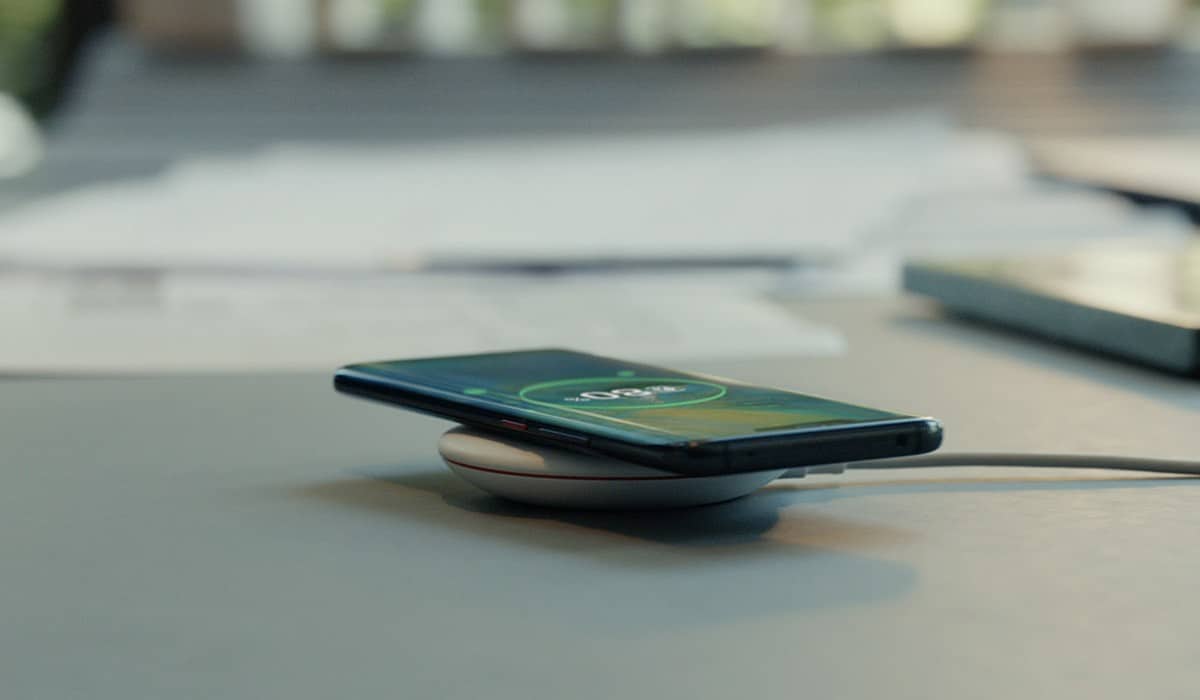
Wireless charging , also known as electromagnetic induction charging , is a technology that transfers electrical energy from a charging pad to a mobile device without any wires . The operating principle is based on the generation of an electromagnetic field through a coil installed in the charger, which transmits energy to a receiving coil located inside the mobile device. This energy is then used to charge the battery.
The process requires the device and charging pad to be in direct contact or very close together (the maximum distance is usually about 5 mm). The coils, typically made of copper and arranged in a spiral to maximize heat transfer, must be aligned for efficient magnetic induction. The Qi standard is the most widespread on the market, although others such as PMA and Rezence also exist, though they are less common.
When the phone is placed on the base, the transmitter coil generates a magnetic field that the receiver transforms into an electric current, thus initiating charging. When the phone is not present, the base remains in standby mode or emits pulses to detect the presence of a compatible device.
Reverse wireless charging is an additional feature found in some recent models, which allows you to use your phone as a power source to charge accessories such as headphones, smartwatches, or even other compatible mobile phones by placing them on their back.
Advantages and disadvantages of wireless charging

- Comfort: Avoid tangled and frayed cables. Simply place your phone on the base and it will automatically charge.
- Less port wear: By not constantly inserting and removing cables, the USB or Lightning connector on your phone stays in better condition.
- Greater order and aestheticsCharging stations often have a sleek design that helps keep the space cleaner.
- Simple compatibility: A single charger can work for multiple devices as long as they follow the same standard, such as Qi.
Despite its undoubted advantages, wireless charging also has some drawbacks:
- Loading speed: It's generally slower than wired charging. Although wireless fast charging pads are available, the difference can still be noticeable compared to high-power wired chargers.
- Necessary positioning: It's essential to place your phone correctly on the base for effective charging. A slight misalignment can prevent charging.
- Loss of efficiency: Some energy is lost in the induction process, so slightly more heat is generated and total consumption is higher compared to the cable.
- Price:Wireless charging pads are typically sold separately and may cost more than a conventional charger.
How to know if your phone is compatible with wireless charging

Determining if your mobile phone supports wireless charging isn't complicated, but it does require checking a few things . Here are some effective methods to find out:
- Consult the user manual or the original boxManufacturers usually clearly indicate on the spec sheet whether the model supports wireless charging. This may be in the manual, in the specifications section of the official website, or even on the side of the box.
- Search in phone settingsOn some phones, you'll find a dedicated section for wireless charging in the settings menu, usually under "Battery" or "Advanced Features." If it appears, your phone is compatible.
- Check the back surfaceCompatible phones usually have a special glass or plastic back (metal does not allow for inductive charging) and sometimes feature symbols or logos related to wireless charging.
- Search on specialized websitesYou can enter your phone's exact model into the search engine and add terms like "wireless charging" or "Qi compatible." Forums and communities for your specific model may also be able to help.
- use apps: Apps like Wireless Charging Checker for Android, which allows you to analyze whether your device's hardware includes a wireless charging coil. Simply download the app and follow the instructions to see the results.
- Try a wireless charging padIf you have access to one, place your phone on the base and see if it starts charging. If you see the dedicated wireless charging icon on the screen or the battery starts moving, your phone supports wireless charging.
- Consult the official technical service: If in doubt, you can ask the manufacturer directly or a specialized after-sales service to confirm it.
- Visually inspect the coil: Although it is not the most common, some models allow you to see a circular area under the rear cover against the light, which corresponds to the receiving coil for wireless charging.
In addition, some hardware identification apps like AIDA64 (Android) or Lirum Device Info (iOS) offer detailed reports on all the terminal's functionalities, including the presence of the charging coil.
Main wireless charging standards

- Qi: The most widespread standard and used by most manufacturers.
- WFP: Used in some older devices and docks, less common now.
- MagSafe: Apple's own implementation to ensure magnetic alignment and optimal speeds on recent models.
Most wireless charging-compatible models follow Qi, so it's important that the charging pad you purchase is compatible with this standard to avoid problems.
Mobile models with wireless charging by brand

Apple
- iPhone 8 and later: All iPhones from iPhone 8, X, XR, XS, 11, 12, 13, 14 and later support Qi standard wireless charging and also MagSafe in the latest generations.
Samsung
- Galaxy S6 series and later: From the Galaxy S6, S7, S8, S9, S10, S20, S21, S22, S23 and later generations, all support wireless charging. Also includes Note 5 models and later, and the Z Fold and Z Flip series.
- Note on speed: Many Samsungs support Fast Wireless Charging.
Xiaomi
- Mi Mix 2S and later: Mi Mix 3, 4, Mi 9, Mi 9 Pro, Mi 10 series (including Ultra and Pro), Mi 11, Mi 12, Mi 12 Pro, Mi 13 and Pro, as well as Redmi K60 and variants, support Qi wireless charging.
- Redmi: Selected high-end models, such as the Redmi K60 and premium-oriented variants.
Other prominent manufacturers
- OnePlus: From OnePlus 8 and later, they include fast wireless charging.
- Google Pixel: Pixel 3 and later have this technology.
- Huawei: Mate 10 Pro, Mate 20 Pro, Mate 30 Pro, Mate 40 Pro and P20 Pro, P30 Pro, P40 Pro, P40 Pro+, P50 Pro, P60 Pro, Mate Xs 2 models.
- Motorola: Edge+, Edge 30 Ultra, Edge 40 Ultra, and select versions of the Razr.
- Sony: Xperia 1 and later, Xperia 5, 10 and alternate versions.
- LG: From the G7 ThinQ, G8 and V variants.
New models are added to the list every year, and they are becoming increasingly common in mid- and high-end models.
How to activate or use wireless charging on your mobile phone

- It does not usually require activation: Generally, simply placing the device on the charging base will automatically start the process without any additional settings.
- On some smartphones, you can enable/disable the optionFor example, on Xiaomi phones it's usually located in Settings → Battery & performance → Wireless charging. On Samsung phones, it's Settings → Battery care → Wireless charging.
- In case of reverse wireless charging (to use your phone as a charger for other devices), it is usually activated in Settings → Battery → Reverse charging or Charging share.
- Place the mobile aligned with the base to avoid connection issues. If your phone has a metal case, it may prevent charging.
Apps to check if my phone is compatible with wireless charging

- Wireless Charging CheckerYou can download it from Google Play; just launch it and tap the check button to see if your phone has a built-in Qi charging coil.
- Hardware identification apps: Tools like AIDA64 for Android show all the phone's sensors and chips, including wireless charging support.
- For iphoneHardware identification apps like Lirum Device Info are helpful in checking for wireless charging support, though generally any iPhone 8 or later will include it.
Can you add wireless charging to a phone that doesn't have it?
If your phone doesn't have this technology built-in, there are Qi adapters and receivers available in sticker or case form that connect to the charging port and fit under your phone case. This allows you to use wireless charging pads even if your phone doesn't have a built-in receiver coil. It's important that the adapter is compatible with the Qi standard.
Frequently asked questions about wireless charging on mobile phones
- Do all phones with glass backs have wireless charging? No. Although most compatible phones use glass on the back, not all phones with this material allow wireless charging. It's a necessary requirement, but not sufficient.
- Can wireless charging charge other devices besides smartphones? Yes. Headphones, smartwatches (such as Apple Watch, Galaxy Watch, or Huawei Watch), and some accessories, including tablets, can be charged wirelessly if they are compatible with the Qi standard.
- What happens if I put an incompatible phone on a charging base? It won't be damaged, it just won't charge. The base won't supply power if it doesn't detect the receiving coil.
- Does the battery wear out faster when using wireless charging? The effect on battery health is similar to that of wired charging, although in some cases, the extra heat can be a factor. Using a certified charging pad and avoiding overheating is the best practice.
- Can I use my phone while it's charging wirelessly? Yes, although lifting it from the base interrupts the charge, unlike the cable, which continues charging even if you use the phone while moving.
- Are there universal wireless chargers? Qi-standard chargers work with most compatible phones, but it's a good idea to check the maximum power supported by each device to take advantage of fast charging.
Comparison between wireless charging and wired charging

- SpeedWired charging, especially using original or high-power chargers and cables, is still faster. However, fast wireless charging is closing the gap.
- Comfort: Wireless charging is a great option in scenarios where you just want to leave your phone resting on its side, without worrying about damaged or dirty cables.
- Compatibility: Wired charging is universal as long as the port matches (USB-C, Lightning), while wireless charging requires specific hardware on the phone and a compatible dock.
- Simultaneous useIt's easier to use your phone while charging via cable, since you can hold it. With wireless charging, any movement can disconnect it from the base.
- Heat and efficiency: Wireless charging generates slightly more heat and may be less efficient at transferring.
Today, wireless charging is an established standard in mid- and high-end smartphones from all major manufacturers. You can find out by consulting the manual, your phone's menus, or using verification apps. Although it's slower than wired charging, its convenience and the fact that it eliminates physical wear and tear on the charging ports make it a very attractive alternative. If your phone doesn't have wireless charging built in, Qi adapters allow you to enjoy this convenience in most cases. Always check the compatibility and quality of both the base and the adapter to enjoy efficient, safe, and comfortable charging.

Table of Contents
- 1 What is wireless charging and how does it work?
- 2 Advantages and disadvantages of wireless charging
- 3 How to know if your phone is compatible with wireless charging
- 4 Main wireless charging standards
- 5 Mobile models with wireless charging by brand
- 6 How to activate or use wireless charging on your mobile phone
- 7 Apps to check if my phone is compatible with wireless charging
- 8 Can you add wireless charging to a phone that doesn't have it?
- 9 Frequently asked questions about wireless charging on mobile phones
- 10 Comparison between wireless charging and wired charging