- A comprehensive and up-to-date list of essential apps, hidden alternatives, and little-known utilities for Android TV and Google TV.
- A comprehensive guide for all types of users: streaming, file management, customization, multimedia, gaming, and productivity.
- Detailed app recommendations outside of Google Play, full controller customization, managers, VPN and privacy, emulators, and apps for sharing content from any device.

Android TV and Google TV have established themselves as key platforms for transforming any television into an entertainment and productivity hub. While many users are content with the pre-installed apps, the possibilities for expanding these systems are enormous thanks to a vast ecosystem of apps, both official and from third-party sources. Below, you'll find the ultimate and most comprehensive guide to the best Android TV apps , from essential apps to hidden gems that will allow you to personalize and optimize your experience, whether on your television, your media player, or even devices like the Amazon Fire TV Stick. Get ready to discover, install, and unlock the full potential of your Smart TV, leaving nothing out and with detailed explanations for each option.
Why do you need apps on Android TV?
Your Android TV smart TV or media player can do much more than you imagine. Apps expand your device's capabilities, allowing you to access exclusive and free content, browse the internet, play games, customize the interface, share files between devices, enjoy digital terrestrial television (DTT) without an antenna, turn your TV into a media center, or even protect your online privacy. The true magic of Android TV lies in the variety and ease of installing apps from Google Play or as APKs, using solutions like Aurora Store , Neo Store , or specialized tools for installing third-party applications.

Complete Top: Essential, Advanced, and Alternative Apps for Android TV and Google TV
Below you'll find a comprehensive and up-to-date compilation of the best Android TV apps, categorized by type (streaming, multimedia, management, personalization, productivity, privacy, and games). Within each category, we'll include both apps officially available on Google Play and those that require APK installation, including community-recommended alternatives, open-source apps, and unique options that the competition highlights and that are essential for your device.

Streaming apps: movies, series, and TV on demand
- Netflix: The movie and series streaming giant, with its own and licensed content. Enjoy in SD, Full HD, or 4K quality, with support for HDR and surround sound. Perfect for those looking for new releases and a large catalog. Subscription required; different plans available.
- Amazon Prime VideoPrime Membership: Access to exclusive movies, series, and documentaries, plus rental options. Support for 4K and HDR content, as well as integration with your Amazon account. Highlights include its low annual cost and trial options.
- Disney +: Ideal for those looking for catalog of Disney, Pixar, Marvel, Star Wars and National Geographic4K HDR quality, multiple profiles, and exclusive content. One of the fastest-growing services with extensive family options.
- HBO Max (now, in some countries, Max)Premium content from Warner, HBO, DC, and more. Enjoy acclaimed series like Game of Thrones and The Last of Us, along with movies and documentaries. Includes 4K streaming options and a variety of plans.
- Apple TV +: A must-have for fans of the Apple ecosystem, but available on Android TV. Original series and movies, high-quality video, and the option to rent or purchase titles.
- skyshowtime: A platform that combines content from Universal, Paramount, Dreamworks, Nickelodeon, Showtime, Sky Studios, Peacock, and more. It features recent films, classics, and the option to easily stream content from your mobile phone to your TV.
- Pluto TV: Platform of free live channels and on-demand contentNo registration required, ads included, ideal for those who want unlimited, free entertainment with a variety of topics.
- tivify: An outstanding solution for watching live DTT and accessing previously broadcast programs. Ability to record channels (depending on plan), intuitive interface, and free in the basic version.
- The filmIf you're looking for arthouse, European, and independent films, this is the app for you. A curated catalog, rental and subscription options, perfect for cinephiles.
- Movistar+, Orange TV and Vodafone TVThe main Spanish operators have official applications for their subscribers, allowing access to live channels, on-demand content, and exclusive features.
- RTVE Play: Free access to RTVE channels and programs live and on demand. Registration required to enjoy all advanced features.
- Rakuten TV: Movie catalog, new releases for rent, and free channels. Includes a section for proprietary content and the ability to watch certain channels without registering.
- Crunchyroll: For anime lovers, the largest selection of Japanese titles, many released simultaneously with their original broadcast.
- Twitch: The benchmark for streaming video games, eSports, music, talks, and much more, ideal for following your favorite creators in real time.
- Deezer, Amazon Music, TuneIn RadioBeyond video, enjoy streaming music, thousands of radio stations, and podcasts on your TV.
- iHeartRadio: Access to thousands of radio stations, playlists, and podcasts. Recommended for those looking for international music or sports radio.
- TikTokThe short-form video social network is also available adapted for Android TV, allowing you to enjoy all the latest trends and creations on the big screen.

Advanced media players: your TV as a total entertainment center
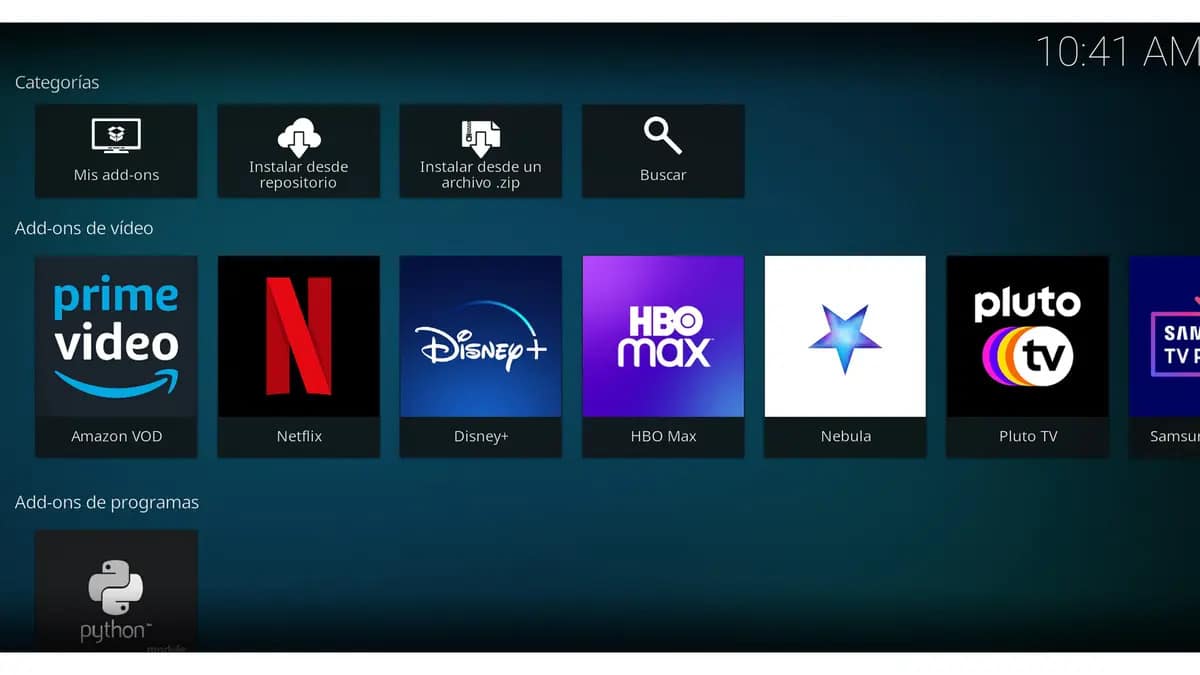
- Kodi: Synonym for media center. Access and organize your music, movies, TV shows, podcasts, and photos both locally and online. Compatible with dozens of formats, streaming, plugins, DTT, recordings and emulation. Fully customizable through addons. More information at .
- plexA robust alternative to Kodi, become your own streaming provider by accessing your content library from any device. It also offers free channels, on-demand movies, and social features.
- jellyfin: Multimedia center 100% free and open source, ideal as an alternative to Plex and Emby. Organize, stream, and manage your content without paying for licenses, compatible with plugins and Kodi addon. More details at .
- VLC Media Player: The most universal video player, compatible with virtually any format (MKV, MP4, AVI, MOV, Ogg, FLAC, TS, M2TS, Wv, AAC, etc.), without the need to download additional codecs. Ideal for playing content stored on USB drives, hard drives, network drives, and streaming. You can find more information at .
- DS-VideoIf you're using a Synology NAS, DS Video lets you play and manage movies and TV shows stored on your NAS from your TV. It works both offline and online, allowing you to share your library with family and friends.
File managers, transfers, and explorers: full control of your Android TV
- Xplore File Manager: Considered by many to be the best file manager for Android TV. It supports dual-pane display, RAR and ZIP file decompression, cloud access, APK management, music playback, and access to external storage (USB, microSD). More details at .
- File Commander: A file explorer with a clean interface and support for various cloud services. It allows you to encrypt, hide, and convert files between over 1300 formats. Ideal for advanced users with complex organizational needs.
- Send files to TV: Cross-platform solution for Send any file from your mobile phone, PC, or tablet to your TV wirelessly (supports Windows, Android, iOS, Linux, and macOS). The premium version removes ads and unlocks additional features. For more information, see [].
- EasyJoin Go TV: Quickly and efficiently transfer files between your TV and any other device. Suitable for all types of content, although it requires a fee.
Web browsers, alternative stores, and access to apps outside of Google Play
- Puffin TV – Fast Web Browser: The best browser optimized for Android TV, fast, and compatible with remote controls. Ideal for secure browsing, online courses, and web streaming. It's paid, but offers a free trial.
- DTVFree: Lightweight browser adapted to Android TV, with a customizable home screen and streaming capabilities. It uses minimal resources and facilitates web access from your TV.
- Aurora Store: An alternative store based on Google Play for installing apps not listed in the official store. It allows you to update, download geo-blocked apps, and check for trackers.
- Neo Store: Client for F-Droid, the most popular open source app store, with access to thousands of free and ad-free apps.
- Sideload launcherIf you want to run apps that aren't adapted to Android TV (sideloaded), this launcher makes it easy to manage and access them directly from the TV's interface.
Personalization, screensavers and launchers
- Aerial Views: Establishes 4K screensaver with Dolby Vision Inspired by Apple TV. Compatible with multiple devices and easily configurable. Learn more at .
- FLauncher: An alternative launcher that lets you customize the look and feel of your Android TV, select wallpapers, manage channels, and access your favorite apps faster.
- Google TV LauncherIf your TV doesn't have the Google TV layer, you can install it manually and enjoy a better viewing experience and personalized recommendations.
Utilities and apps to expand functions: privacy, control, and extras
- Blockada: Anti-advertising and tracker shield with built-in VPN. Open source, protects your privacy, and removes ads in apps and streaming services. Installing the Smart TV-specific version is essential. To further enhance your security, see [].
- TunnelBear VPN: Free and easy-to-use VPN, perfect for bypassing geoblocks, accessing foreign content, protecting your identity, and connecting to public Wi-Fi networks securely.
- Airscreen y AirPin Pro: Receive screen mirroring, photos, music, and videos from mobile phones, tablets, laptops, and other devices using AirPlay, Cast, Miracast, and DLNA protocols. AirPin Pro is the most comprehensive option for Apple users, while AirScreen stands out for its versatility.
- Button Mapper / Key Button RemapperCustomize any button on the remote to assign functions, open apps, switch inputs, or launch specific commands. Ideal for removing unused shortcuts and tailoring your TV to your needs.
- Speed Test WiFi Analyzer: Test your connection speed, analyze nearby networks, and improve the performance of your TV or TV Box, whether via Wi-Fi or cable.
Alternative YouTube clients and apps outside the store
- SmartTube Next: Advanced alternative to the official YouTube app. No ads, adjustable playback speed, 4K 60fps quality, HDR support and without requiring Google services. Open-source app that installs as an APK from GitHub.
- NewPipe: A fast, lightweight client for accessing YouTube, SoundCloud, BandCamp, and more. Allows you to download, play in the background, view in PiP, and manage playlists and subscriptions without an account.
Apps to watch DTT and free online channels
- M3UAndroid: IPTV playlist player for ad-free online channel streaming, DLNA streaming, and managing your favorite playlists.
- TDTChannels: All DTT channels free Without an antenna, national and international radio stations are also available. A great alternative for watching TV when you don't have access to a traditional antenna.
Games, emulators, and gaming platforms on Android TV
- Air ConsoleTurn your TV into a multiplayer console, using your mobile phone as a controller. Ideal for playing with family and friends. A varied and constantly updated catalog.
- Steam Link: Play your Steam games on your TV from your PC wirelessly. It's recommended to use an Ethernet cable for the lowest lag.
- RetroArch: Emulation platform for classic consoles (Atari, NES, SNES, Sega, PlayStation, etc.) on your Android TV. Supports local and multimedia play, although performance depends on your device's specifications.
- Microsoft Game Pass y GeForce Now: Streaming access to game catalogs from the cloud. While compatibility depends on the device, you can install the APK and use a Bluetooth controller to enjoy the latest games on the big screen.
Downloads, backups and advanced management
- Fetch: Download client designed for Android TV. Allows you to easily pause, resume, prioritize, and monitor downloads.
- Neo Backup: Backs up apps and data. Requires root for advanced features, but guarantees security against data loss.
- TorrServe: Download and play torrents directly from Android TV, maintaining privacy and making it easy to access files without having to go through other devices.
Extras and alternative apps that make a difference
- BESTV: A guide to finding series and movies, showing updated listings, cast, trailers, and suggestions. It doesn't reproduce anything; it just informs and guides you when you're undecided.
- Recording WebcamIf you connect a USB webcam to your Android TV, this app lets you take photos or record video from the TV. Useful for video calls and surveillance.
- Kaltura Player: Multimedia player compatible with a wide variety of formats, supports streaming, live broadcasts, 360 video and even Google Cast.
How to install apps outside the official store on Android TV and basic tips
Many recommended apps aren't available on Google Play for Android TV, but installing APKs is easy and safe if you use trusted sources:
- Use Aurora Store o Neo Store to manage downloads and install apps from trusted repositories.
- To install APK, download it from the developer's website or secure repositories, transfer it to the TV with Send files to TV o Xplore File Manager, and run it from the file manager.
- In some cases you will need to activate "Install apps from unknown sources" in the security settings of your Android TV.
- If the installed app is not compatible with Android TV, use Sideload launcher to run it.
Frequently Asked Questions About Apps and Customization on Android TV
- Can I install any Android app on Android TV? Not all apps are optimized for TV, but you can install almost any using APKs, Sideload Launchers, and UI emulators.
- Which is better, Kodi or Plex? Both are excellent media centers. Kodi stands out for its customization and add-on community, while Plex excels at remote streaming and cross-platform ease of use.
- What do I do if an app doesn't appear on Google Play? Use the Aurora Store, alternative stores, or download the APK directly. Many useful apps aren't available in the store due to Google restrictions.
- Is it safe to install apps outside of Google Play? Yes, if they come from reliable sources such as GitHub, F-Droid, XDA Developers, or the official app sites.
- Which apps should I uninstall to free up space? Remove pre-installed apps you don't use, use file managers to identify large files and apps, and, if you're rooted, use cleanup modules to free up memory.
- Can I use my Android TV for video calls? With a compatible webcam and apps like Recording Webcam or web solutions, you can make video calls on Zoom, Duo, or Skype.
Advanced tips to get the most out of your Android TV
- Customize the remote control with Button Mapper and remove useless shortcuts.
- Use VPN to unblock content and improve your privacy. To do this, you can check out [] for easy setup.
- Install alternative launchers if you're not satisfied with the standard interface.
- Take advantage of file transfer to update APKs or recover your TV if you don't have a keyboard or mouse (especially useful after a reset or to install apps after a regional lock).
- Monitor performance with WiFi analyzer apps and managing wallpapers/screensavers to prevent burn-in and improve aesthetics.
- Update apps like Kodi and Plex from their official websites to get new features before the store and experiment with third-party plugins.
- Connect Bluetooth controllers and play games or emulators like AirConsole, RetroArch, or Steam Link directly on your TV without any additional hardware.

The variety of apps and tools for Android TV and Google TV is greater than ever. Whichever model or brand you choose (Sony, Philips, TCL, Xiaomi, Chromecast, Fire TV Stick, Nvidia Shield…), your experience will only be limited by your curiosity and desire to personalize, experiment, and enjoy. This article will be your ultimate reference whenever you want to explore new ways to watch TV, play games, work, or share moments on the big screen.
Table of Contents
- 1 Why do you need apps on Android TV?
- 2 Complete Top: Essential, Advanced, and Alternative Apps for Android TV and Google TV
- 3 How to install apps outside the official store on Android TV and basic tips
- 4 Frequently Asked Questions About Apps and Customization on Android TV
- 5 Advanced tips to get the most out of your Android TV